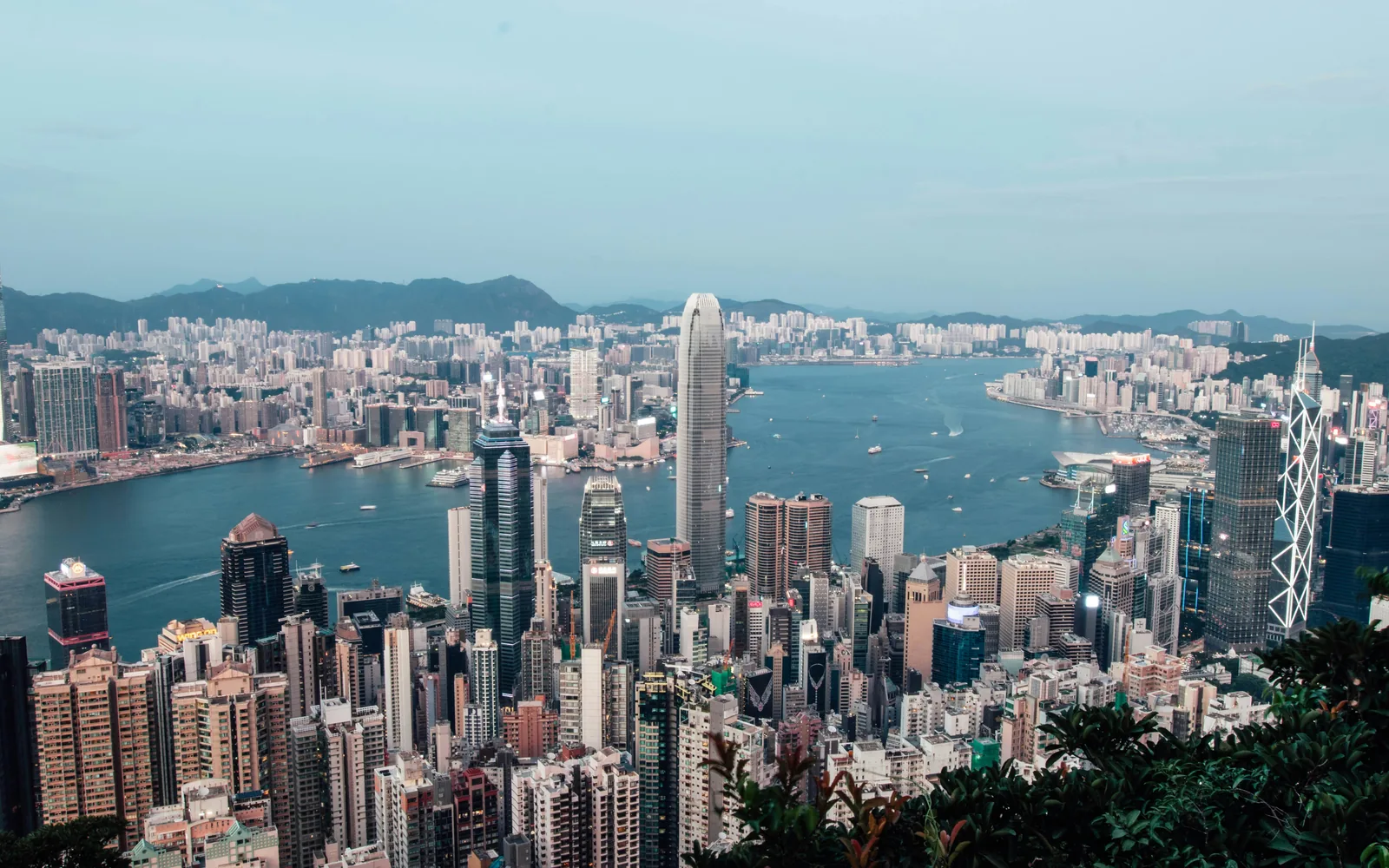
The three-day Hong Kong trip
Hong Kong work trips are short and dense. Land at HKG on a Monday, MTR to Central, change in the airport hotel, a meeting in IFC by 11. By Wednesday afternoon you're back through the Airport Express. Slack, email, calendar, three video calls before lunch — none of that is optional, and none of that survives a forty-minute queue at a SIM kiosk.
Roamzy charges $2.97 per gigabyte in Hong Kong, billed in real time at $0.0029 per megabyte. No subscription. No expiry on the unused balance. No "5 GB for 30 days" pre-buy. One per-MB rate across 193 countries — that's a description of the billing, not a marketing line.
How much will Roamzy actually cost on this trip?
The business pattern in Hong Kong runs heavy: Maps from HKG to Central, MTR app for the line, Slack and Telegram all day, two or three Zoom calls back to the home team, LinkedIn for in-country meetings, contactless payments through Apple Pay or the Octopus card, the Cathay or HKE Express app for the return flight. Plan on 1–1.5 GB/day:
| Trip length | Roamzy ($2.97/GB) | Tourist roaming pass | Local SIM at HKG |
|---|---|---|---|
| 2 days (single meeting) | $5.94 | $15–35 | $10–25 + 20–30 min at the counter |
| 5 days (full business cycle) | $14.85 | $35–80 | $15–35 + paperwork |
| 2 weeks (project / trade show) | $41.57 | $70–160 (often two passes) | $25–55 + 30-day cap |
Competitor prices in columns 3 and 4 are 2025 ranges based on typical offerings; exact figures depend on your home carrier and the airport store you visit. Roamzy's rate in column 2 is our actual published rate from the pricing page.
HKG has a SIM counter; it's well organized. On a two-day trip the half-hour costs more than the savings. The eSIM is already attached before you've cleared immigration.
What changes if I'm here to work, not tourism?
Hotel Wi-Fi in HK is generally fine. A five-person Zoom on it — usually. At peak it stutters. That's the kind of detail you learn when you're on screen-share and the video starts pixelating, not before the trip.
HKG arrivals lounge Wi-Fi works through immigration; once you're in the cab, the eSIM is the connection. Same rate either way — that's the point.
Coverage across the SAR
Hong Kong has one of the densest cellular footprints in the world. The shape on the ground:
- Hong Kong Island and Kowloon — 5G at 95%+, multiple operators, throughput stable
- The MTR — continuous signal across stations and most tunnel runs, including the Cross-Harbour Tunnel
- New Territories (Sha Tin, Tai Po, Yuen Long) — solid LTE, 5G in commercial centers
- Outlying Islands (Lantau, Cheung Chau, Lamma) — workable LTE in the villages, weaker on the trails
- The Peak and Lantau Peak hikes — patchy 4G; offline maps if you go off-path
- Airport Express — continuous signal end to end
How do I install my Roamzy eSIM?
| Plug type | Voltage | Frequency | iOS | Android |
|---|---|---|---|---|
| Type G | 220 V | 50 Hz | iPhone XS+ | Pixel 3+, Galaxy S20+ |
- Sign in to Roamzy via Telegram or Google
- Your first eSIM is free and comes with real data on us. After that, top up from $20 in stablecoins (USDT or USDC): no cards, no banks, no FX surcharges
- The QR code appears in your dashboard as soon as the eSIM is issued
- On the iPhone itself (iOS 17.4 or newer), tap Tap to install in the QR card; otherwise Settings → Cellular → Add eSIM → scan QR (do this on your home Wi-Fi before you fly)
- The counter starts the moment you land at HKG — already attached while you're in the passport line
Plugs are Type G, same as the UK. Supported stablecoins, networks, and common iPhone/Android setup errors are in the FAQ.
What are Roamzy's honest limitations?
Business travelers historically lose money to three things, and Roamzy doesn't close those traps — they don't exist in the product.
- No welcome promo that bait-and-switches your second top-up. The rate on top-up #1 is the rate on top-up #20.
- No fine-print throttling that surfaces during a Zoom call. One rate, full speed — first GB and the hundredth cost the same $0.0029/MB.
- No auto-renewal you forgot to cancel that hits expense reports next quarter. Balance runs out, the eSIM stops.
Work trips to Hong Kong don't run on predictable data, and packages punish exactly that. A meter that never expires isn't marketing; it's the design that survives a schedule change.
What if my trip extends across the region?
HK is often a connection point for the wider region. Roamzy's rate doesn't change at the border — the meter just starts billing at the new country's rate:
- Mainland China — by high-speed rail to Shenzhen and beyond, separate country rate
- Macau — short ferry, separate jurisdiction
- Singapore — common business extension, four-hour flight
- The mechanics of regional roaming and why a "6-country APAC bundle" usually costs more than per-MB — explained here